
Free Invoice Generator for Freelancers
A freelance invoice lists the work you did, the amount due and how to pay you. This free generator is built for freelancers: add hourly or fixed-price items, set a due date and send a clean PDF to your client.
Your files never leave your device.
How to use the Invoice Generator for Freelancers
-
1
Step 1
Enter your name or business name and contact details.
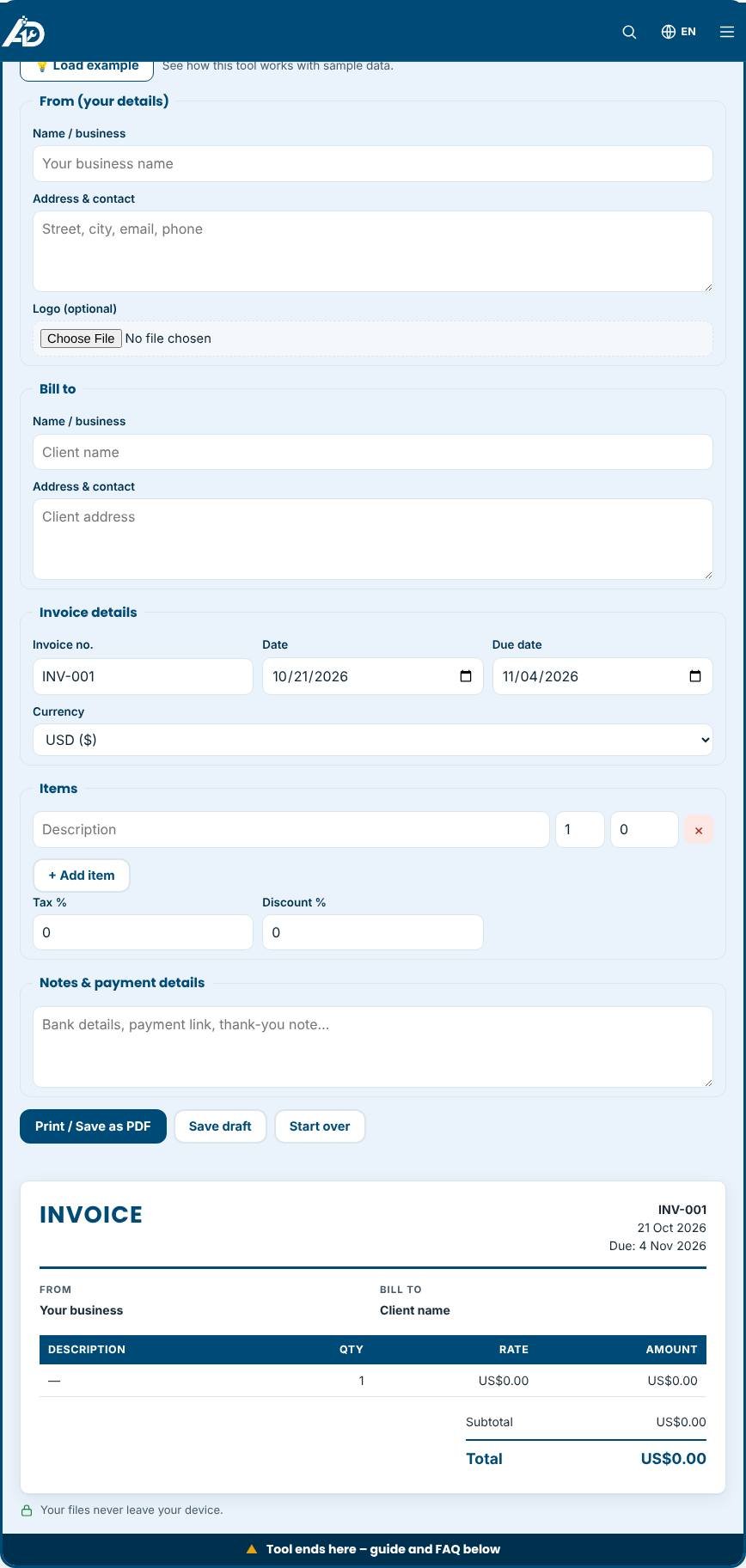
Invoice Generator for Freelancers – Step 1 -
2
Step 2
Add the client and a short project description.
-
3
Step 3
List your work as hours × rate or as fixed-price items.
-
4
Step 4
Add payment details and notes, then print or save the invoice as PDF.
An invoice maker built for freelancers
Freelancers wear many hats, and billing is the one that decides when you get paid. This invoice generator is designed for independent designers, developers, writers, consultants, tutors and other self-employed professionals. You enter your details once, add the work you did, and get a clean invoice in minutes. It supports different currencies, tax or VAT, discounts, notes and your logo, and you can print it or save it as a PDF directly from the browser. No account is required.
What freelancers should put on an invoice
A professional invoice protects you in a dispute and helps clients pay promptly.
- A clear title such as "Invoice" and a unique number.
- Your full name or trading name and how to contact you.
- The client's legal name and billing address.
- The date of issue and the payment due date.
- A line for each deliverable or block of hours, with price per unit.
- Taxes you are required to charge, shown separately.
- Payment methods: bank transfer details, a payment link or other instructions.
- A short thank-you note and your terms, such as late fees or the kill fee for cancelled work.
Fixed price, hourly or retainer?
Describe items according to how you charge. For hourly work, write the task and the hours, for example "Website design – 12 hours at 40". For fixed-price projects, list each milestone with its own amount. For monthly retainers, state the period covered, such as "SEO support – October". If you are not sure what to charge, use the Freelance Rate Calculator to find a rate that covers your costs and target income.
Tips for professional billing
- Agree the price and payment terms in writing before you start.
- Ask for a deposit on larger projects and show it as a deduction on the final invoice.
- Invoice promptly, ideally on the day you deliver.
- Keep numbering consistent; many freelancers use the year and a counter, such as 2026-014.
- Store copies of every invoice for the period your country requires, which is often several years.
- Add your payment link or bank details every time to remove friction.
Common mistakes to avoid
- Sending a vague invoice such as "Services – 500". Detailed descriptions get approved faster.
- Mixing currencies without saying which currency applies.
- Forgetting to add tax where it applies or adding it where you are exempt.
- Waiting weeks to invoice. The longer you wait, the longer you wait to be paid.
Privacy and limits
Your business details, client information and invoice items are processed only in your browser. Drafts are saved on your own device. We cannot see them. Because nothing is stored on a server, clearing your browser data removes saved drafts, so keep PDF copies. The tool does not send invoices to clients; download the PDF and send it by email or message.
Related tools
Keep prospects and clients organised in the Free CRM for Freelancers, plan your work with the Freelance Project Management Tool, and track your hours with the Timesheet Calculator.
Who is it for?
Freelance writers, designers, developers, virtual assistants and consultants.
Why use it
- Built for freelancers and small businesses
- Clear, printable results
- No account needed to try
- Your data stays on your device
Frequently asked questions
How do freelancers number invoices?
Use a simple running sequence such as INV-001, INV-002 or include the year, for example 2026-014. Never reuse a number.
What payment terms should I use?
Net 7, Net 14 and Net 30 are common. Shorter terms help cash flow; always state the due date clearly.
Do I need to charge tax?
It depends on your country and income. Check local rules or ask an accountant, then enter the correct rate in the tax field.
Do I need to register to use the invoice generator?
No. There is no account, no email requirement and no limit on the number of invoices.
Can I invoice in my own currency?
Yes. Choose from the currency list. If your currency is missing, pick the closest option and write the currency name in the notes.
How do I keep my details for the next invoice?
Press "Save draft". Your details are remembered in this browser, so next time you only change the numbers and items.
Results are estimates for planning only and are not legal, tax or accounting advice. Check local rules before you rely on a figure.