
Free Online Graphic Design Editor – Posts, Thumbnails and Posters
A drag-and-drop design editor that runs in your browser. Start from a template or a blank page, add text, shapes and your own pictures, arrange layers, apply filters and download the result as PNG, JPG, WebP or PDF. No account and no watermark.
Loading tool…
How to use the Free Online Design Editor
-
1
Step 1
Choose a page size (for example Instagram post or YouTube thumbnail) or pick a template.
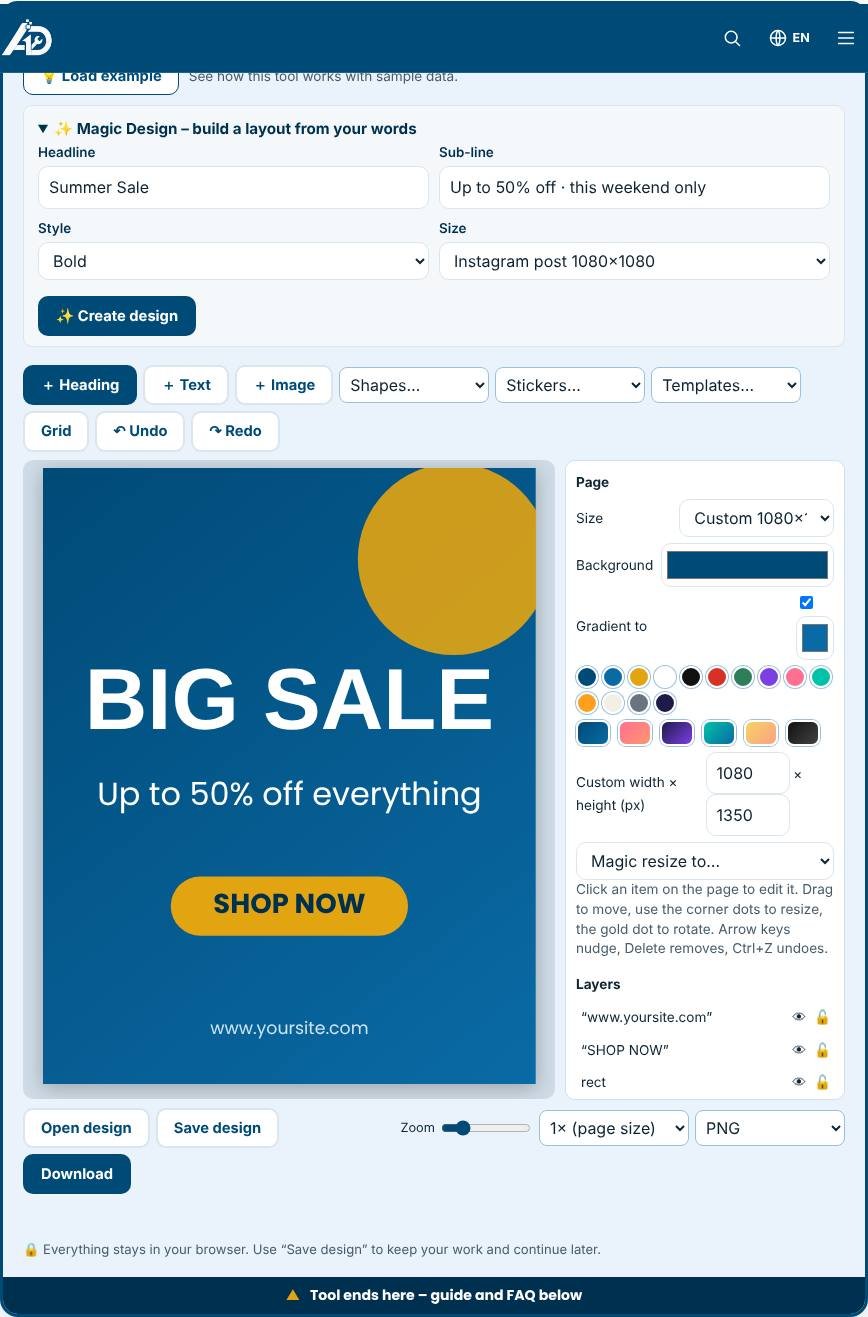
Free Online Design Editor – Step 1 -
2
Step 2
Add headings, text, shapes and your own images, then drag, resize and rotate them on the page.
-
3
Step 3
Use the side panel for fonts, colours, opacity, shadows, image filters and layers.
-
4
Step 4
Press Download to save PNG, JPG, WebP or PDF, or save the design file to continue later.
What is this design editor?
This is a free graphic design editor that runs in your web browser. You can make a social media post, a YouTube thumbnail, a poster, a business card or a product photo for your Etsy shop without installing software and without creating an account. You work on a page, add items such as text, shapes and pictures, and move them with your mouse or finger. Every item is a separate layer, so you can change one thing without damaging the rest. When you are happy you download the design as PNG, JPG, WebP or PDF. Nothing is uploaded, nothing carries a watermark, and your pictures stay on your device.
What you can do with it
The editor covers the everyday design jobs of a small business or a creator. You can pick a page size from a list that includes Instagram posts, stories, YouTube thumbnails, Facebook and LinkedIn images, Pinterest pins, Twitter or X headers, A4 posters, business cards and square Etsy photos. You can start from one of the ready templates, such as a sale poster, a quote post, a thumbnail or a business card, and replace the words with your own. You can add headings and body text with nine fonts, bold and italic, alignment, letter spacing, outlines and highlight boxes. You can add shapes such as rectangles, circles, triangles, stars, hearts, arrows and lines, and fill them with any colour. You can upload your own pictures, round their corners, flip them and change brightness, contrast, saturation, blur or black and white.
How to design step by step
First choose the page size and background. Click an empty area of the page to see the page settings, where you can set a colour or a two-colour gradient. Next press Heading or Text to add words, or press Image to add pictures from your device. Click an item to select it. Drag it to move it. Drag the white dots at the corners to resize and the gold dot above it to rotate. The item snaps to the centre of the page when you get close, so aligning is easy. Use the side panel to change colours, fonts and effects, and the alignment buttons to place the item at the left, centre, right, top, middle or bottom of the page. The Layers list lets you select hidden or overlapping items, hide them or lock them. Finally pick a format and size and press Download.
Design tips for better results
- Keep one main message. A heading, one supporting line and one picture are usually enough.
- Use no more than two fonts and three colours. The blue and gold swatches under each colour picker match the AD Tools brand and look good together.
- Add a shadow, an outline or a highlight box when text sits on a busy picture.
Designs for Etsy, KDP and social media
Sellers can use the editor to create listing photos at 2000 by 2000 pixels, cover mockups, price banners and thumbnails for videos. Place your product picture on a coloured background, add a short label such as Instant Download, and export. To show the same artwork on products, take your design to the Product Mockup Generator, which places it on T-shirts, hoodies, mugs, frames and more. For many pictures with numbered text, use the Text Overlay Generator, and compress the finished files with the Image to WebP Converter before uploading them to your website.
New: Magic Design and more
Type a headline, pick a style and size, and Magic Design builds a layout in one click. Also new: stickers, extra shapes, photo filters, circle crop, neon text, guide lines, Magic Resize and five more templates.
Privacy and limits
Everything happens in your browser, so private pictures and client work stay with you. It has no stock photo library or team sharing, and it works best on a computer or tablet. If you need a special design tool for your business, such as a labelling tool, a certificate maker or a product personaliser, see the custom tool service.
Who is it for?
Small shop owners, Etsy and Amazon KDP sellers, social media managers, students and anyone who needs a quick graphic without learning complex software.
Why use it
- Works in your browser – files are not uploaded
- No signup, no watermark
- Fast on phone, tablet and desktop
- Download in common formats (PNG, JPG, WebP)
Frequently asked questions
Is there a watermark or sign-up?
No. The editor is free, has no watermark and needs no account.
Can I keep working later?
Yes. Use “Save design” to download a small design file and “Open design” to continue where you stopped.
Is it the same as other design websites?
It covers the everyday basics – text, shapes, images, layers, templates and export – but it has no stock photo library or team features.
Is the design editor really free?
Yes. There is no sign-up, no watermark and no limit on downloads.
Can I use my own fonts?
The editor offers nine built-in fonts. Custom font upload is not included yet.
How do I continue a design later?
Press Save design to download a small file, then press Open design to load it again.
Can I export a PDF for printing?
Yes. Choose PDF and 2× size for a sharper print. The page is saved as a single-page PDF.