
Contract Management Tool for Small Business
Contract management means knowing what you signed, when it ends and what it costs. Use this simple tracker to list every contract, its renewal date and who is responsible.
Loading tool…
How to use the Contract Management Tool
-
1
Step 1
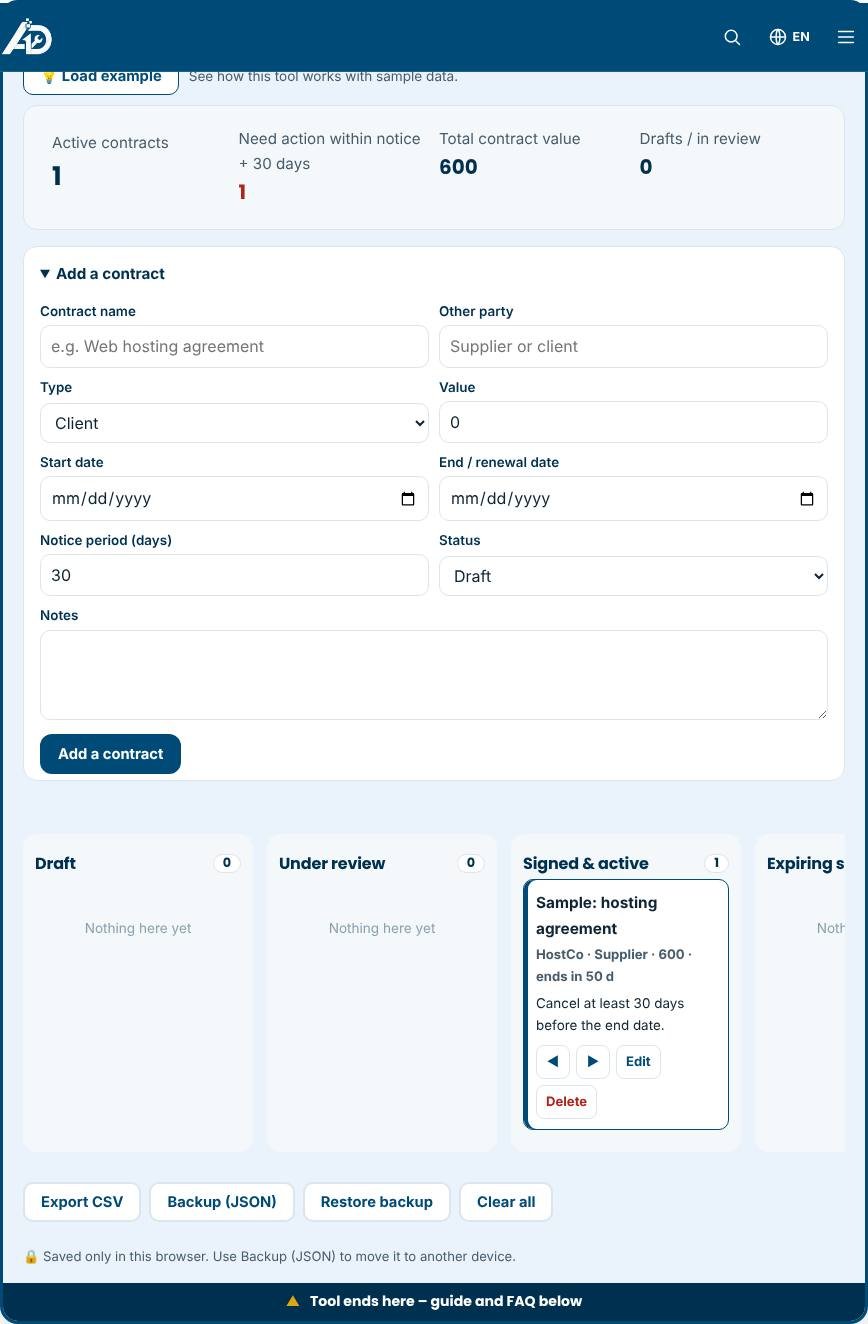
Add each contract with the other party, value and start date.
Contract Management Tool – Step 1 -
2
Step 2
Enter the end date and the notice period for cancelling or renewing.
-
3
Step 3
Assign an owner and add short notes about key terms.
-
4
Step 4
Review the “Ending soon” list every month.
What is contract management?
Contract management is the practice of keeping track of agreements from the first draft to the day they end. Small businesses sign more contracts than they realise: client agreements, supplier terms, software subscriptions, leases, employment contracts, non-disclosure agreements and service-level promises. Each one has dates, obligations and costs. When these live in email attachments, the important details are easy to miss. This free tool gives you a simple board for your contracts, with columns for Draft, Under review, Signed and active, Expiring soon, and Expired or ended.
What you can track
For each contract you record the name, the other party, the type, the value, the start date, the end or renewal date, the notice period in days and any notes. The summary at the top counts active contracts, adds up their value and warns you when a contract needs action. A contract is highlighted when the end date is within the notice period plus thirty days, which gives you time to renegotiate or cancel before an automatic renewal locks you in for another term.
Why renewal dates matter
Many business contracts renew automatically unless you give notice, often thirty, sixty or ninety days before the end of the term. Missing that window can mean paying for another year of a service you no longer need. Tracking the end date and notice period in one place turns a surprise into a calendar task. It also gives you leverage: a reminder two months before renewal is the right time to ask for a better price or compare alternatives.
How to set up your contract board
- Gather your current agreements and add each one as a card.
- Enter the end date and the notice period written in the contract, not an estimate.
- Put signed contracts in "Signed and active" and drafts in the earlier columns.
- Add a note describing the obligation that matters most, such as "cancel by email", "price rises 5 percent each year" or "exclusive supplier".
- Review the highlighted cards at the start of every month.
Tips for small business contract hygiene
- Keep the signed PDF in a single shared folder and name files consistently, for example Client-Service-2026-03.
- Write down who owns each contract internally. Someone must be responsible for renewals.
- Compare contract value with usage once a year, especially for software and subscriptions.
- Ask for plain-language terms and negotiate auto-renewal clauses before you sign.
- Have a lawyer review high-value or unusual agreements.
Common mistakes to avoid
- Tracking only the start date. The end and notice dates are what cost money when missed.
- Forgetting verbal agreements and email commitments. If it matters, put it in writing.
- Storing only the draft. Save the final signed copy.
- Treating the board as legal advice. It organises information but does not interpret the legal meaning of a contract.
Privacy and limits
The data you enter stays in this browser and is not uploaded. There are no email reminders, so check the board regularly or add the dates to your calendar. You can export a CSV for a spreadsheet or a JSON backup for safekeeping. The tool does not store contract documents; keep those in your own secure storage.
Related tools
Review the wording of an agreement with the Contract Analyzer, follow negotiations through the Contract Lifecycle Management board and invoice clients with the Invoice Generator.
Who is it for?
Small business owners, office managers and freelancers with several client or supplier agreements.
Why use it
- Plain-language summaries
- Deadline and renewal reminders
- Checklists you can reuse
- Private by design
Frequently asked questions
Why track renewal dates?
Many contracts renew automatically. Tracking the notice period lets you renegotiate or cancel in time.
Can I store the contract files here?
The tracker stores details and links. Keep the signed files in a secure folder you control.
Is this legal advice?
No. It is an organising tool. Ask a lawyer to review important agreements.
Does the tool send renewal reminders?
No. It highlights contracts that need attention when you open the board, so add key dates to your calendar as well.
Can I attach the contract file?
No. The board stores details only. Keep the documents in your own folder and mention the file name in the notes.
What is a notice period?
It is the number of days before the contract ends by which you must tell the other party that you do not wish to renew.
These tools help you organise and review documents. They do not replace advice from a qualified lawyer.