
AI Contract Analyzer – Spot Key Terms and Risky Clauses
A contract analyzer helps you read an agreement faster by pointing out key terms: payment, term, termination, liability, confidentiality and ownership. It is a first-pass review, not a replacement for a lawyer.
Loading tool…
How to use the AI Contract Analyzer
-
1
Step 1
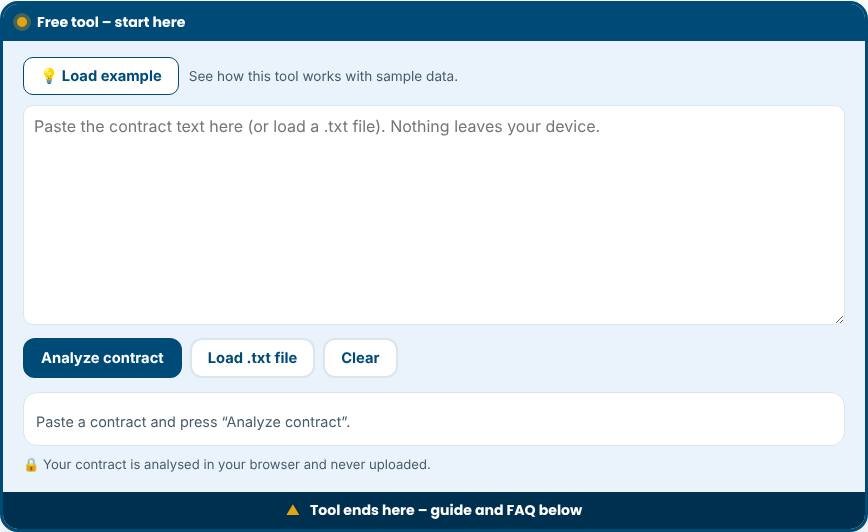
Paste the contract text or the clause you want to check.
AI Contract Analyzer – Step 1 -
2
Step 2
Choose the contract type, for example freelance, NDA or service agreement.
-
3
Step 3
Read the summary of key terms, dates and amounts.
-
4
Step 4
Review the flagged clauses and take them to a lawyer if they matter.
What does a contract analyzer do?
Reading a contract carefully takes time, and the risky parts are often hidden in long paragraphs. A contract analyzer scans the text you paste and highlights what deserves attention. This tool checks for twelve common clause types, such as payment, termination, liability, indemnity, confidentiality and governing law, and flags wording that is commonly risky, including automatic renewals, unlimited liability, broad indemnities, one-sided changes, long payment terms and non-compete restrictions. It also pulls out dates and amounts and estimates reading time. It is a fast first pass, not a lawyer.
How the analysis works
The analyzer uses pattern matching, the same idea as a very careful search. It looks for phrases that usually signal a certain clause, then shows you the sentence where it found them. Each risk pattern carries a short explanation of why it matters and a practical suggestion, such as asking for a liability cap or shortening payment terms. A risk score combines the number and seriousness of the flags with missing clauses. Because the tool does not understand context, a flag means "read this sentence carefully", not "this contract is bad".
Clauses worth understanding
- Term and renewal: how long the agreement lasts and whether it renews automatically.
- Payment: amounts, deadlines, late fees and who pays taxes.
- Termination: who can end the contract, for what reasons and with how much notice.
- Liability and indemnity: how much each side can be asked to pay if something goes wrong.
- Intellectual property: who owns the work and what licence is granted.
- Confidentiality: what information must be protected and for how long.
- Governing law and disputes: which country's law applies and where disagreements are resolved.
How to use the results
Read each flagged sentence in the full document, because the surrounding text may change its meaning. Use the "not found" list as a checklist of topics to consider adding, although not every contract needs every clause. Copy the points you want to negotiate into an email to the other party. For high-value, long-term or unusual agreements, take the flagged items to a qualified lawyer, who can tell you what they mean in your jurisdiction.
Tips for safer contracts
- Never sign a contract you have not read, even if the other side calls it a standard form.
- Ask for specific numbers instead of phrases such as "reasonable time" or "best efforts".
- Make obligations mutual where possible, including termination rights and liability caps.
- Keep a copy of the final signed version and any amendments.
- Put changes in writing, signed by both sides.
Common mistakes to avoid
- Treating a low score as approval. The tool cannot see missing context, side letters or the other party's reputation.
- Pasting only part of the contract. Clauses may qualify each other, so include the whole text.
- Relying on it for languages it was not built for. Pattern matching here works best on English.
- Sharing confidential agreements with tools that upload data. This one analyses text in your browser instead.
Privacy and limits
Your contract text is analysed on your device and is never sent to a server. The tool is not a law firm and does not provide legal advice. It cannot verify that a contract is enforceable, complete or fair. Use it to prepare better questions, not to replace professional review.
Related tools
Track the agreements you sign with the Contract Management Tool and move them through approval in the Contract Lifecycle Management board.
Who is it for?
Freelancers, founders and small teams who need to understand a contract before they sign.
Why use it
- Plain-language summaries
- Deadline and renewal reminders
- Checklists you can reuse
- Private by design
Frequently asked questions
Is my contract text kept private?
Do not paste confidential material into any online tool unless you are comfortable with how it is processed. Remove names where possible.
Can it replace a lawyer?
No. It highlights points to check. Legal advice comes from a qualified professional.
Which clauses matter most?
Payment terms, scope, termination, liability limits, intellectual property and confidentiality.
Is the AI contract analyzer a replacement for a lawyer?
No. It highlights common risk patterns so you can read more carefully and ask better questions. Important contracts should be reviewed by a qualified lawyer.
Does it work for contracts in other languages?
It is built for English wording. Other languages may produce few or no matches.
Why was a clause marked as missing when my contract has it?
The tool looks for typical wording. If your contract uses unusual phrases, a clause may be present but not detected.
These tools help you organise and review documents. They do not replace advice from a qualified lawyer.