
AI Content Detector – Check If Text Looks AI-Written
An AI content detector estimates how likely a piece of text is to be machine-written by looking at patterns such as repetition and predictable phrasing. No detector is perfect, so treat results as a signal, not proof.
Loading tool…
How to use the AI Content Detector
-
1
Step 1
Paste your text into the box.
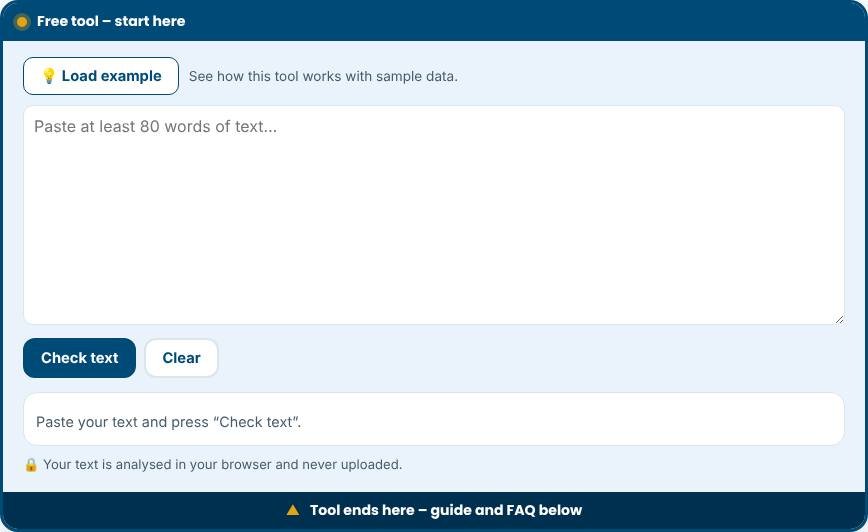
AI Content Detector – Step 1 -
2
Step 2
Run the check and read the score and highlighted passages.
-
3
Step 3
Rewrite flagged parts with your own examples, opinions and details.
-
4
Step 4
Check again and use judgement, not the score alone, to decide.
What is an AI content detector?
An AI content detector estimates whether a piece of writing looks like it was produced by a language model. Teachers, editors, publishers and website owners use these tools to review submissions. This free detector analyses text patterns directly in your browser and returns a likelihood score, a plain-language label, the signals it found and a highlighted view of stock phrases. It does not send your text anywhere.
How the detector works
Language models tend to write in a very consistent way. The tool measures several signals. It looks at sentence length variation, because people mix short and long sentences more than models do. It measures vocabulary variety and repeated three-word phrases. It scans for phrases that appear much more often in generated text, such as "delve", "tapestry", "it is important to note" and "in today's fast-paced world". It also considers formality, including the use of contractions and a personal voice. These signals combine into a score from 0 to 100 and a label of likely human-written, mixed or likely AI-assisted.
How to interpret the result
A high score means that the text has many patterns associated with machine writing. It does not prove that a model wrote it. A low score does not prove human authorship either. Skilled editing can remove typical patterns, and some people naturally write in a formal, even style. Research and experience show that detectors can make mistakes in both directions, and they may wrongly flag writing by non-native English speakers because simple, regular language looks statistically similar to machine output.
Responsible ways to use it
- Treat the result as a prompt for a conversation, not as evidence.
- Compare with the writer's earlier work and ask them to explain their process.
- Use it on longer texts. Short passages do not contain enough signal.
- If you publish content, use the findings to make your text sound more human: vary sentence length, add specific examples and remove stock phrases.
- Check facts, which machines often get wrong, regardless of the score.
Tips for writing in a more natural voice
- Start from your own experience and details that only you know.
- Use specific names, numbers, places and dates instead of general statements.
- Mix short and long sentences, and use contractions where they fit your tone.
- Remove filler such as "moreover", "furthermore" and "in conclusion" when they add nothing.
- Read the text aloud and rewrite anything that sounds stiff.
Common mistakes to avoid
- Punishing a student or employee based on a single score.
- Running very short text through the detector and expecting reliable results.
- Assuming that humanising tools or paraphrasers make low-quality content good.
- Forgetting that search engines reward helpful, original content however it was created.
Privacy and limits
The analysis is local. Your text is not stored or used to train anything. The detector uses statistical heuristics rather than a trained model, so it is deliberately transparent: you can see exactly which signals led to the score. It works best on English text of 150 words or more.
Related tools
Improve your copy with the AI Marketing Toolkit, draft listings with the Etsy Listing Generator, and plan a book with the Ebook Generator.
Who is it for?
Teachers, editors, bloggers and content teams who review writing quality.
Why use it
- Quick checks with clear next steps
- Passwords are never sent anywhere
- Easy explanations, no jargon
- Free and mobile friendly
Frequently asked questions
How accurate are AI detectors?
They can be wrong in both directions. Never use a score as the only evidence against a writer.
How do I make writing sound more human?
Add real examples, specific facts, varied sentence length and your own point of view.
Does Google penalise AI text?
Google rewards helpful, original content regardless of how it is made, and acts against spam and low-value text.
Can the detector be wrong?
Yes. Any detector can give false positives and false negatives. Treat the score as one clue, never as proof.
Does it work for languages other than English?
It was designed for English. Other languages may give unreliable results.
Is my text saved?
No. The text is analysed in your browser and is not uploaded or stored.
Only scan websites you own or have permission to test. Results are guidance, not a guarantee of security.