
Password Strength Checker for Business and Personal Use
A strong password is long, unique and hard to guess. This checker estimates strength from length and variety, and it runs in your browser so your password is never sent or stored.
Loading tool…
How to use the Password Strength Checker
-
1
Step 1
Type or paste a password into the box.
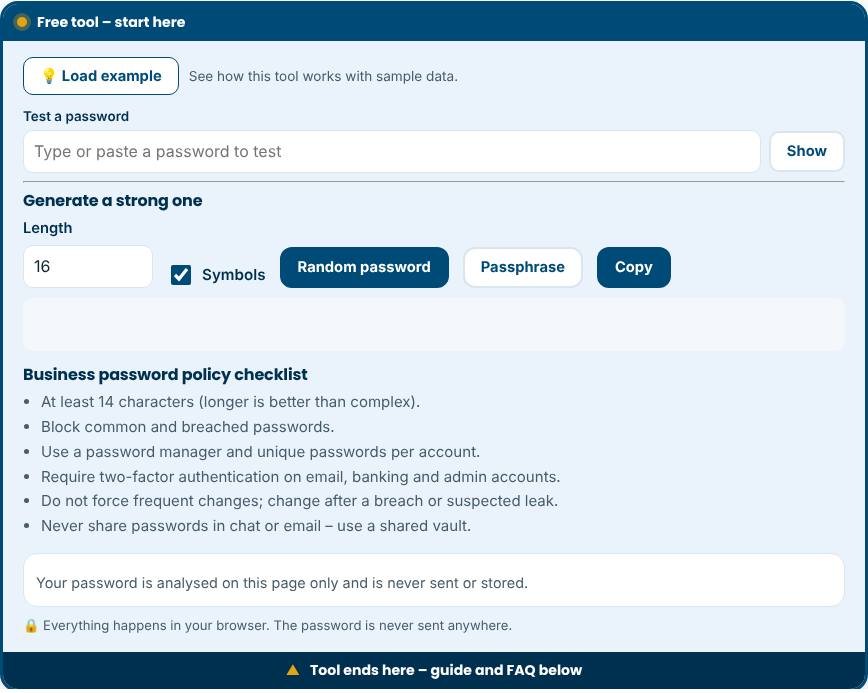
Password Strength Checker – Step 1 -
2
Step 2
Watch the strength meter and the estimated time to crack.
-
3
Step 3
Follow the tips to add length and remove predictable patterns.
-
4
Step 4
Save the final password in a password manager, not in a note.
Why password strength matters
Stolen and weak passwords are among the most common reasons accounts are compromised. Attackers do not guess one password at a time by hand. They use software that tries billions of combinations and lists of passwords leaked in previous breaches. A strong password makes that work impractical. This free tool estimates how strong a password is, explains what makes it weak and gives you a secure random password or passphrase generator and a business password policy checklist.
How strength is estimated
The checker calculates entropy, a measure of how unpredictable a password is, from its length and the variety of characters used. It then reduces the score for patterns attackers try first: common passwords and their "leet speak" variants, keyboard sequences such as qwerty, repeated characters, years and a word followed by digits. Crack-time estimates show two scenarios: an online attack on a login page, which is slow because the site limits attempts, and an offline attack on a stolen database, which can be extremely fast. Everything happens in your browser, and the password is never transmitted or stored.
What makes a password strong
- Length: every extra character multiplies the number of possibilities. Aim for 14 characters or more.
- Unpredictability: random characters or several unrelated words are better than a clever phrase based on personal facts.
- Uniqueness: use a different password for every account, so one breach does not open the others.
- Not previously leaked: even a complex password is unsafe if it appears in breach lists.
Passphrases and password managers
A passphrase of four or five random words, such as "anchor-coral-river-maple", is easy to remember and hard to crack. For everyday accounts, a password manager is better: it creates and stores long random passwords for each site, so you only remember one strong master passphrase. Add two-factor authentication to important accounts, especially email, banking and anything with admin access. Passkeys, where available, replace passwords with device-based credentials and are resistant to phishing.
A simple business password policy
Modern guidance, including recommendations from NIST, favours length over complexity rules and discourages forced password changes unless there is evidence of compromise.
- Require at least 14 characters and allow long passphrases.
- Block passwords that appear in common or breached lists.
- Provide a company password manager and train staff to use it.
- Require two-factor authentication on email, finance and admin accounts.
- Never share passwords by chat or email. Use a shared vault with access controls.
- Remove access immediately when someone leaves.
Common mistakes to avoid
- Using the same password for work and personal accounts.
- Adding a number or symbol to a common word and calling it secure.
- Writing passwords on sticky notes or in unprotected files.
- Using personal details such as names, birthdays or pet names.
- Typing real passwords into untrusted websites. Test a similar example when possible.
Privacy and limits
This tool runs entirely in your browser and makes no network requests with your password. Still, the best habit is to test a password with the same length and pattern rather than your actual one. The estimate cannot know whether a password has been leaked, so check your accounts on a breach-notification service as well.
Related tools
Scan your website with the Website Security Scanner, protect your domain with the Email Deliverability Checker and manage agreements with the Contract Management Tool.
Who is it for?
Employees, business owners and anyone creating accounts that need to stay secure.
Why use it
- Quick checks with clear next steps
- Passwords are never sent anywhere
- Easy explanations, no jargon
- Free and mobile friendly
Frequently asked questions
Is it safe to type my password here?
The check runs locally in your browser and nothing is sent. Still, test a similar password rather than a real one if you prefer.
How long should a password be?
Use at least 12–16 characters. A long passphrase of several unrelated words is strong and easy to remember.
Should my team use a password manager?
Yes. It lets everyone use unique, strong passwords without remembering them.
Is it safe to type my password here?
The tool does not send it anywhere. For extra safety, test a password with a similar pattern instead of one you currently use.
How long should a business password be?
At least 14 characters is a good baseline. Longer passphrases are better and easier to remember.
Should staff change passwords every 90 days?
Current guidance recommends against routine forced changes. Change a password when it may have been exposed.
Only scan websites you own or have permission to test. Results are guidance, not a guarantee of security.